
Spreadsheet vs. App: Tracking Your Budget Without Losing Your Mind

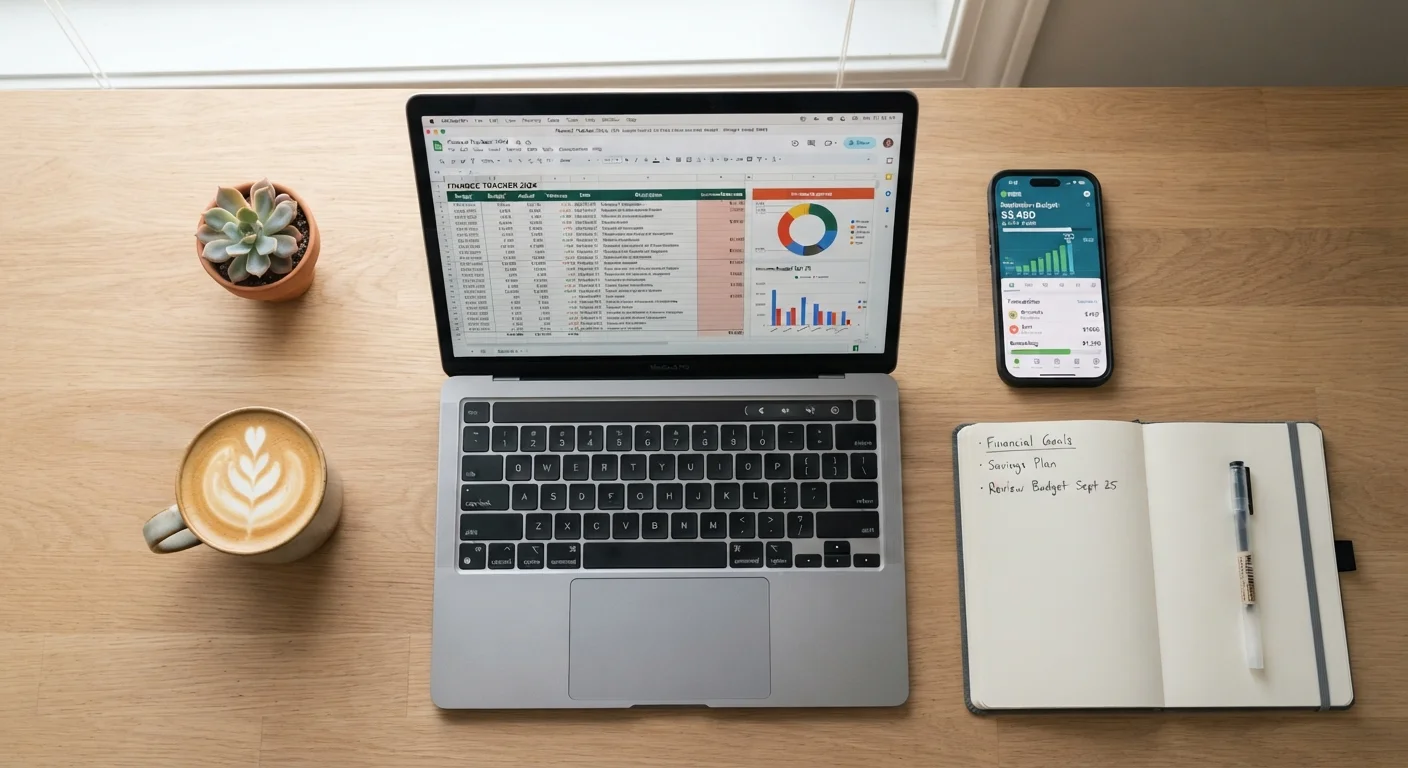
Photo: InsightsBlock.com | Access Information With Ease editorial
Key Takeaways
- Spreadsheets offer maximum flexibility but require manual upkeep and some comfort with formulas.
- Dedicated budgeting apps automate data entry but often come with subscription costs and privacy trade-offs.
- The right tool is whichever one you will actually use every week-consistency beats sophistication.
- Couples and households with shared finances may benefit from tools that support collaboration.
- Switching methods mid-month can disrupt your tracking-test a new system at the start of a budget cycle.
Why Your Tracking Method Matters
A budget you never look at is just a wish list. The mechanics of how you track spending determine whether your budget stays a living document or quietly collects digital dust. Two methods dominate modern personal finance: spreadsheets and dedicated budgeting apps. Both can work. Both have meaningful drawbacks. The real question is which one fits your habits, not which one is theoretically superior.
For context, a third approach-the cash-based envelope system-predates both and still has advocates. If you're curious whether a fully analog method might suit you, see our overview of the envelope method for a fair-minded comparison. This article focuses on the digital fork in the road: spreadsheet or app.
Spreadsheets: Full Control, Full Responsibility
A spreadsheet-whether in Google Sheets, Microsoft Excel, or a similar tool-gives you a blank canvas. You define every category, formula, and layout. That flexibility is genuinely powerful: you can model irregular income, track sinking funds, and build views that match exactly how you think about money.
The trade-off is maintenance. Every transaction has to be entered manually (or imported and sorted by hand), and any formula errors are yours to catch. Spreadsheets also lack mobile-first design, which makes logging a coffee purchase in the moment awkward compared to tapping a phone app. If you work around an irregular pay schedule, you can customize a spreadsheet to accommodate that reality-but you'll need to build the structure yourself.
Spreadsheet strengths:
- No subscription cost (if using a free tool like Google Sheets)
- No third-party access to your bank credentials
- Infinitely customizable categories and calculations
- Data portability-you own the file
Spreadsheet weaknesses:
- Manual entry is time-consuming and error-prone
- No automatic transaction syncing
- Limited or no mobile alerts for overspending
- Steeper learning curve for complex formulas
Start Simple, Then Customize
Budgeting Apps: Automation With Strings Attached
Dedicated budgeting apps connect directly to your bank and credit card accounts, pulling in transactions automatically and categorizing them. The appeal is obvious: less friction means you're more likely to stay engaged. Real-time alerts when you're approaching a spending limit can change behavior in ways a once-a-week spreadsheet review cannot.
The costs are real, though. Most capable apps now charge monthly or annual subscription fees. More significantly, syncing requires granting a third-party service read access to your financial accounts. While reputable apps use bank-level encryption, there is inherent risk in sharing credentials-a consideration worth weighing honestly.
App-based budgeting also tends to shine for shared finances. If you're budgeting with a partner, multi-user app support can simplify visibility across two spending patterns without emailing spreadsheet files back and forth.
App strengths:
- Automatic transaction import and categorization
- Real-time spending alerts and dashboards
- Mobile-first design for on-the-go logging
- Often includes goal tracking and reporting
App weaknesses:
- Subscription costs (often $5-$15/month for full-featured tools)
- Requires sharing bank account access with a third party
- Automatic categorization frequently misclassifies transactions
- If the service shuts down, your data may not be easily exportable
| Criterion | Spreadsheet | Budgeting App | |
|---|---|---|---|
| Cost | Free (or low-cost software) | Often $5-$15/month subscription | |
| Setup time | High-build your own structure | Low-guided onboarding | |
| Data entry | Manual (or semi-manual import) | Automatic bank sync | |
| Customization | Unlimited | Limited to app's framework | |
| Privacy | No third-party account access | Requires sharing bank credentials | |
| Mobile usability | Awkward on small screens | Designed for smartphones | |
| Shared/couple use | Requires manual file sharing | Multi-user support often built in | |
| Data ownership | You own the file entirely | Dependent on provider's policies |
How to Choose-and Stick With It
Picking a method comes down to three honest self-assessments: How often will you actually log in? How comfortable are you with your financial data living on a third-party server? And how much time are you willing to spend on setup versus ongoing maintenance?
If you're detail-oriented, already use spreadsheets for other tasks, and value privacy, a spreadsheet will serve you well-especially if you schedule a weekly 15-minute reconciliation. If you know you won't open a spreadsheet more than once a month, an app's automation may be the difference between tracking and not tracking.
Whichever method you choose, pair it with a structured monthly review. Our monthly budget review checklist walks through how to compare planned versus actual spending and adjust before the next cycle begins. That habit matters more than the tool that feeds it.
For a broader framework on constructing a budget from scratch, the complete guide to building a personal budget covers income calculation, category allocation, and long-term maintenance in full detail.
This article is for general informational and educational purposes only and does not constitute personalized financial advice. Consult a qualified financial professional for guidance specific to your situation.
The content provided on our blog site traverses numerous categories, offering readers valuable and practical information. Readers can use the editorial team’s research and data to gain more insights into their topics of interest. However, they are requested not to treat the articles as conclusive. The website team cannot be held responsible for differences in data or inaccuracies found across other platforms. Please also note that the site might also miss out on various schemes and offers available that the readers may find more beneficial than the ones we cover.